
Converting images into music with AI opens new creative pathways for musicians, filmmakers, and creators. This guide explains how image-to-music systems work, what to expect from outputs, practical workflows using MusicBud.ai, and best practices for editing, licensing, and sharing your results.
How AI turns images into music
Image-to-music AI maps visual features from a photo — such as color palette, brightness, texture, and detected subjects — to musical parameters like key, tempo, instrumentation, and mood. Different systems use neural networks trained on paired visual and audio data or rule-based mappings to translate visual cues into melodies and harmonies.
On MusicBud.ai, you can upload a photo as the primary inspiration or combine it with a text prompt or lyrics. The platform uses the image together with any user directions (genre, tempo, mood) to compose an original piece.
- Visual elements can be used as creative signals to influence musical choices, especially when combined with text prompts.
- Image inputs are typically blended with user instructions rather than deterministically producing a single fixed result.
- Combining image and text inputs gives you more control over the creative outcome.
Practical workflow with MusicBud.ai
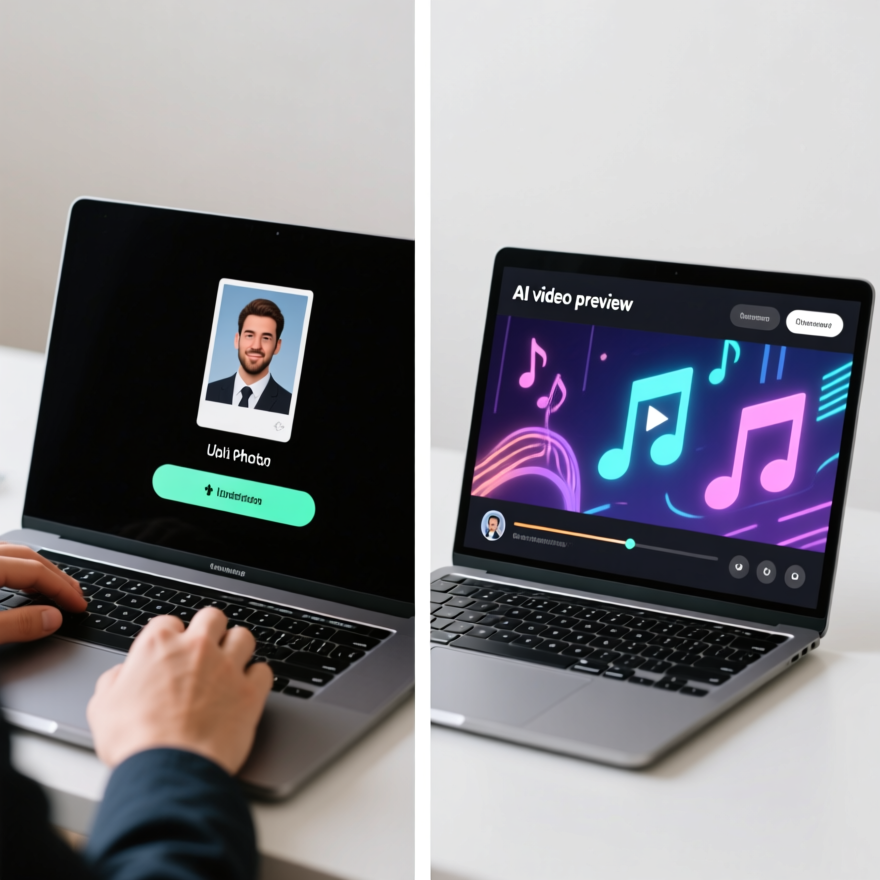
Start by choosing whether you want to use only an image, only text/lyrics, or both. Upload your photo, select a genre and a mood preset, and optionally paste lyrics or descriptive prompts to guide the AI.
Generating a song uses a small number of credits (creating an AI-generated song costs 3 credits). After the song is created, you can render a matching AI music video from that finished track. Video rendering typically takes a few minutes — the platform commonly estimates around five minutes — because video elements are generated to match the audio.
- Step 1: Upload image and pick genre/mood.
- Step 2: Add lyrics or extra prompts to refine narrative.
- Step 3: Generate the song (preview and edit).
- Step 4: Render the AI music video and export.
Controlling mood, genre, and instrumentation
To gain control, use clear, specific prompts and presets. Specify instrumentation (for example, piano and strings), desired tempo (BPM), and reference artists or production style to nudge the model.
MusicBud.ai lets you combine visual cues with explicit instruction: you can guide how much the image should influence melody, lyrics, or arrangement. If results aren't aligned with your vision, use the editor to adjust parts or regenerate with modified parameters.
- Use concrete adjectives: 'sparse acoustic', 'cinematic synth pad', 'uptempo pop drums'.
- Try different prompt variations or small edits to the image to explore different outputs.
- Iterate: small prompt edits often yield significant changes in arrangement.
Exporting, ownership, and commercial use
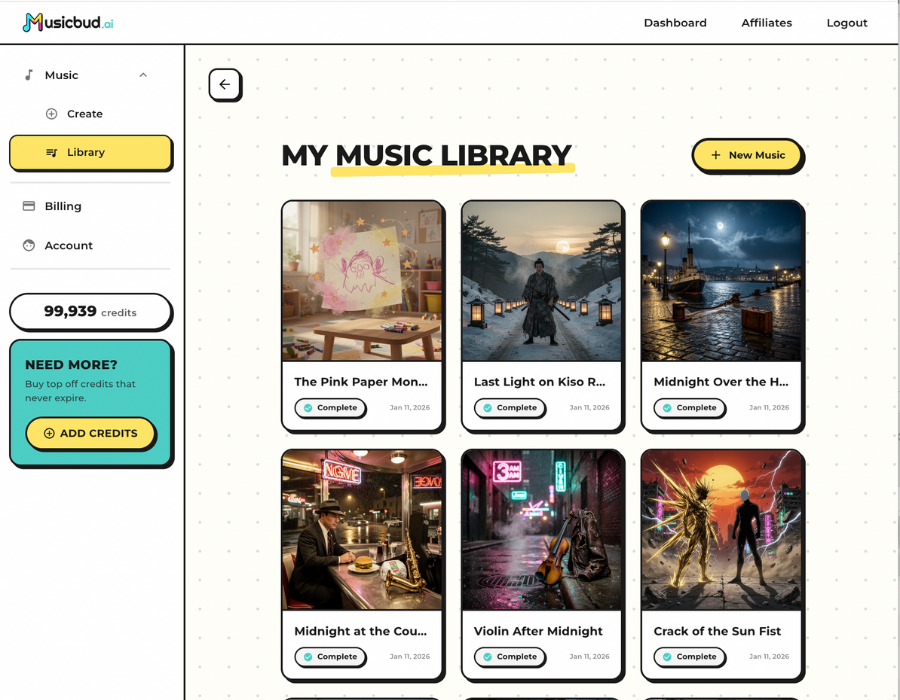
After previewing and editing, you can download your finished track and export the AI-generated music video. MusicBud.ai lets you preview, edit, download, and share outputs; free-plan videos include a small watermark while paid plans remove it.
You retain ownership of content you create or upload, but that ownership applies only to the rights you already hold. Always ensure inputs (images, lyrics, uploaded audio) are yours or properly licensed. Check platform terms and copyright guidance before commercial use.
- Confirm licensing if you used third-party images or samples as inputs.
- Free trial options let you test outputs before committing to paid plans.
- Downloaded files and sharing are supported from the dashboard; check the platform for exact export options.
Common limitations and expectations
AI-generated music from images is creative and exploratory — results can be surprising. Expect variety in quality and style; some outputs may need editing or multiple attempts to reach professional standards.
Control over very fine-grained musical details (exact chord voicings, complex arrangements) is improving but not always perfect. Use the platform's editing tools or export parts for further production work in a DAW.
- Outputs are usually best for demos, soundtracks, social content, and idea generation.
- For polished commercial releases, consider post-production or collaboration with human musicians.
- Privacy: avoid uploading sensitive images unless you understand the platform’s data policies.
Use cases and creative ideas
Image-to-music workflows are useful for filmmakers creating mood pieces, game developers prototyping ambient tracks, visual artists adding sound to gallery shows, and social creators making eye-catching short-form content.
Try generating multiple tracks from the same photo using different genre presets, or create a photo series and give each image its own thematic song and video for a cohesive multimedia project.
- Create soundtracks for travel vlogs or photo essays.
- Produce ambient loops inspired by landscape photos for games or installations.
- Turn artwork into short music videos to share on social platforms.
Sources
Frequently Asked Questions
How does AI create music from an image?
AI analyzes visual features like color, texture, and recognized objects and maps them to musical parameters such as tempo, key, instrumentation, and mood. MusicBud.ai combines that analysis with optional text or lyric prompts to compose an original song.
Can I use the music commercially?
You retain ownership of creations you upload or generate, but commercial use depends on whether you own or licensed the inputs. Always check MusicBud.ai’s terms and ensure any third-party images or samples used as inputs are cleared for commercial use.
How long does it take to generate a song or video?
Creating a song typically happens quickly after you submit an image and prompt. Rendering a matching AI music video from a completed song typically takes around five minutes because video elements are generated to match the track.
Can I control genre and tempo when converting an image to music?
Yes. You can specify genre, tempo (BPM), instrumentation, and mood in your prompt. Combining image inputs with clear instructions yields more predictable outputs.
Are there free options to try image-to-music generation?
Yes. MusicBud.ai offers a free plan with daily credits so you can test image-to-music features and preview watermarked videos before upgrading to a paid plan that removes the watermark.
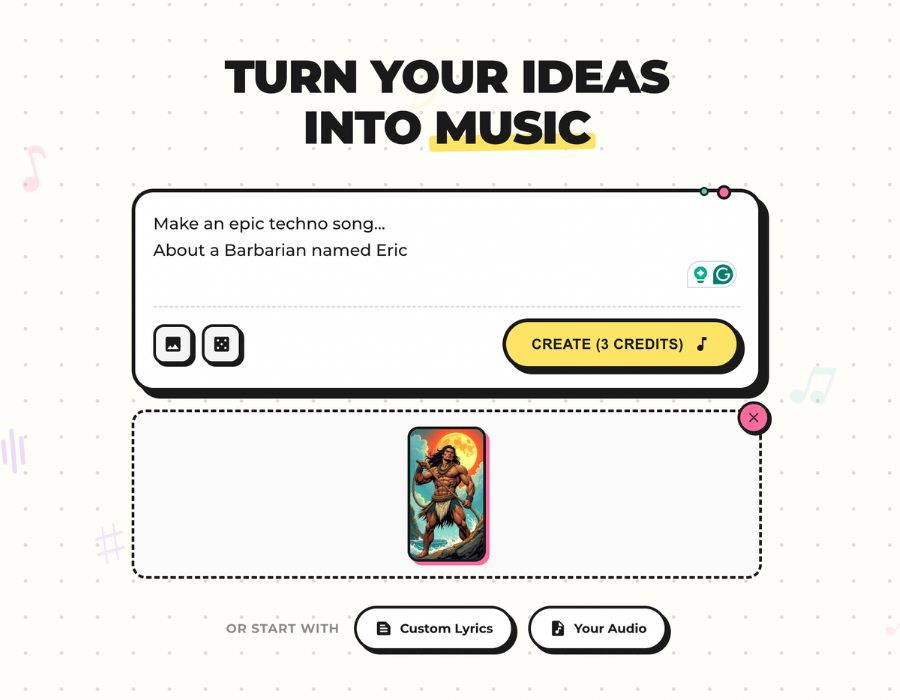

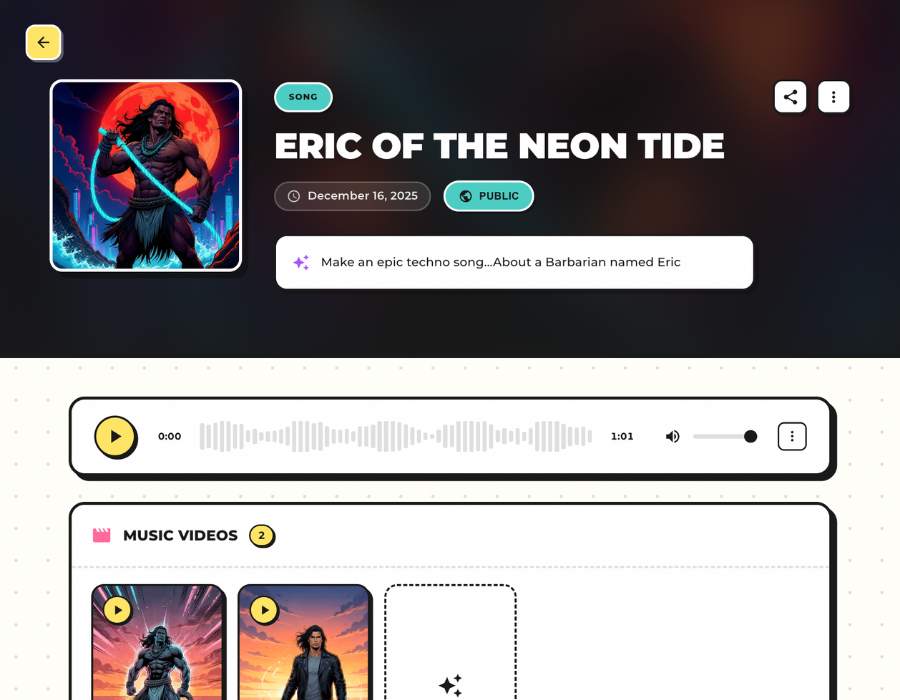
 MusicBud.ai